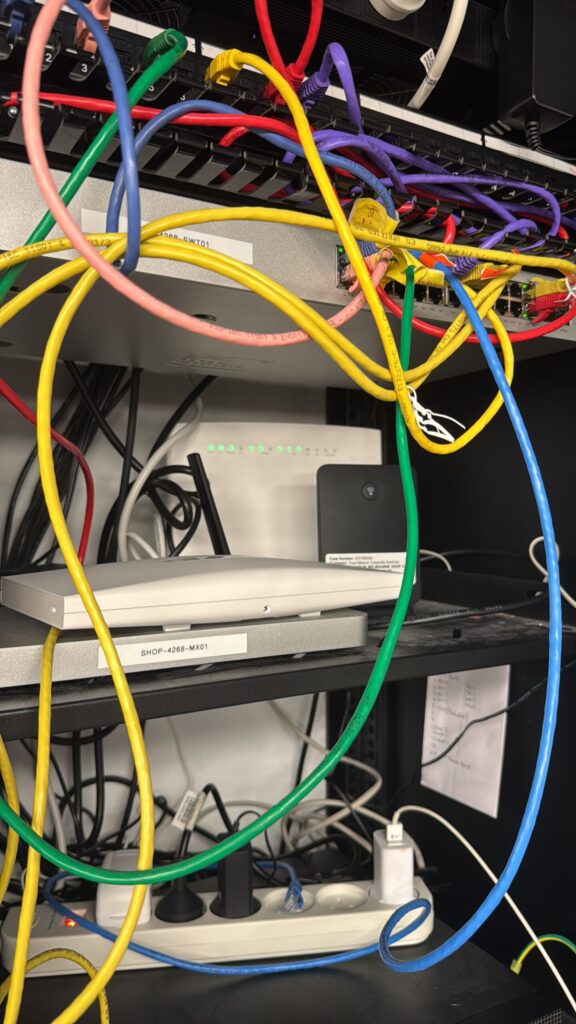
“The internet keeps dropping out” is one of the most common calls we take across Bentleigh East and bayside Melbourne, and it is also one of the most misdiagnosed. People reboot the modem for months, argue with their provider, and buy a new router that changes nothing, because the fault was never where they thought it was. Here is how we narrow NBN dropouts down to the modem, the Wi-Fi or the line itself, and what to do about each.
First, work out what is actually dropping
A dropout can be three different things. The Wi-Fi link between your device and the router can fall over while the internet itself stays up. The router can lose its connection to the NBN. Or the NBN service can drop at the network end. Each has different symptoms and a different fix, so the first job is telling them apart.
Signs it is the Wi-Fi
- Only wireless devices drop; a computer plugged in with a cable keeps working.
- Dropouts happen in particular rooms or when you move around the house.
- The router’s internet light stays steady during the dropout.
- Problems are worse in the evening, when the neighbours’ networks are busiest.
Wi-Fi faults usually come down to a router placed badly, interference on the 2.4 GHz band, an old router that cannot cope with the number of devices in a modern home, or a dead spot that a mesh system would fix.
Signs it is the modem or router
- Everything drops at once, wired and wireless, and the internet light on the router turns red or goes off.
- The router feels hot, or has been running for years and restarts itself.
- Dropouts started after a storm or a power flicker.
- The log in the router’s admin page shows repeated reconnections.
Provider-supplied routers are built to a price and often struggle after three or four years. A failing power adapter is a common and overlooked cause.
Signs it is the NBN line or connection
- The NBN connection box on a FTTP, HFC or FTTC service shows a fault light, or the router’s DSL or WAN light keeps cycling.
- Dropouts coincide with rain or wind on a FTTN or FTTC service, which points to copper faults.
- Several neighbours have the same problem at the same time.
- Speeds vary wildly through the day, not just during dropouts.
These need the provider, but you will get a much faster result if you can hand them a log of times and the lights you saw rather than “it keeps dropping”.
What to try before calling anyone
- Note the date and time of each dropout and which lights changed on the router and the NBN box.
- Plug a laptop directly into the router with a cable and see whether it drops too.
- Power the NBN box and the router off for a full minute and back on, NBN box first.
- Check the power adapter is the original one and that the plug pack is not warm or buzzing.
- Move the router out of cupboards and away from the microwave, cordless phone base and fridge.
- Run the provider’s line test from their app or account page; many will tell you if a fault is detected.
How we sort it out
When we come onsite we test the wired connection at the router, check the NBN box and its cabling, read the router logs, and survey the Wi-Fi coverage room by room. If the router is the weak point we replace it with one suited to the house and the number of devices. If coverage is the problem we set up a mesh system or a wired access point rather than a repeater, which halves your speed. If the fault is on the line we document it properly and, if you like, speak to the provider on your behalf with the evidence in hand. Much of the router and Wi-Fi work can also be done by remote support if your connection works some of the time.
Cost and time
A dropout diagnosis is typically a single onsite visit of an hour or two. Replacement routers and mesh systems range from modest to premium depending on the size of the home and the speed tier you pay for. If the fault turns out to be on the NBN side, the visit still saves you weeks of back-and-forth, because you can hand the provider a clear fault report.
When to call
If the dropouts are wrecking video calls or work from home, if a cabled device drops as well as the Wi-Fi, or if you have already replaced the router without improvement, book a visit rather than another month of rebooting. Our network, NBN and Wi-Fi page explains what we can set up.
Will a new router fix NBN dropouts?
Only if the router is the fault. If the wired test shows the NBN box itself is dropping, a new router changes nothing. Test first, buy second.
Why does my internet drop when it rains?
On FTTN and FTTC connections the last stretch is copper, and water in a pit or a joint causes faults. It is a provider issue, and the rain pattern is exactly the evidence they need.
Is a mesh system better than a Wi-Fi extender?
Almost always. Extenders halve throughput and create a second network to juggle. Mesh units hand devices between themselves and are managed as one network.
Can you deal with my provider for me?
We can give you a clear written fault summary and, with your permission, talk to them while we are onsite so the technical questions are answered the first time.
Geeks 24×7 provides onsite and remote IT support across Bentleigh East and bayside Melbourne, 7 days from 5am to 11pm. Call 0421 388 876, book onsite tech support, or browse more tech tips while you wait for us to arrive.